Gaming Desktops: The Pinnacle of Personal Performance
An in-depth look at the components, form factors, and considerations required to build or buy a high-performance gaming PC in modern computing.
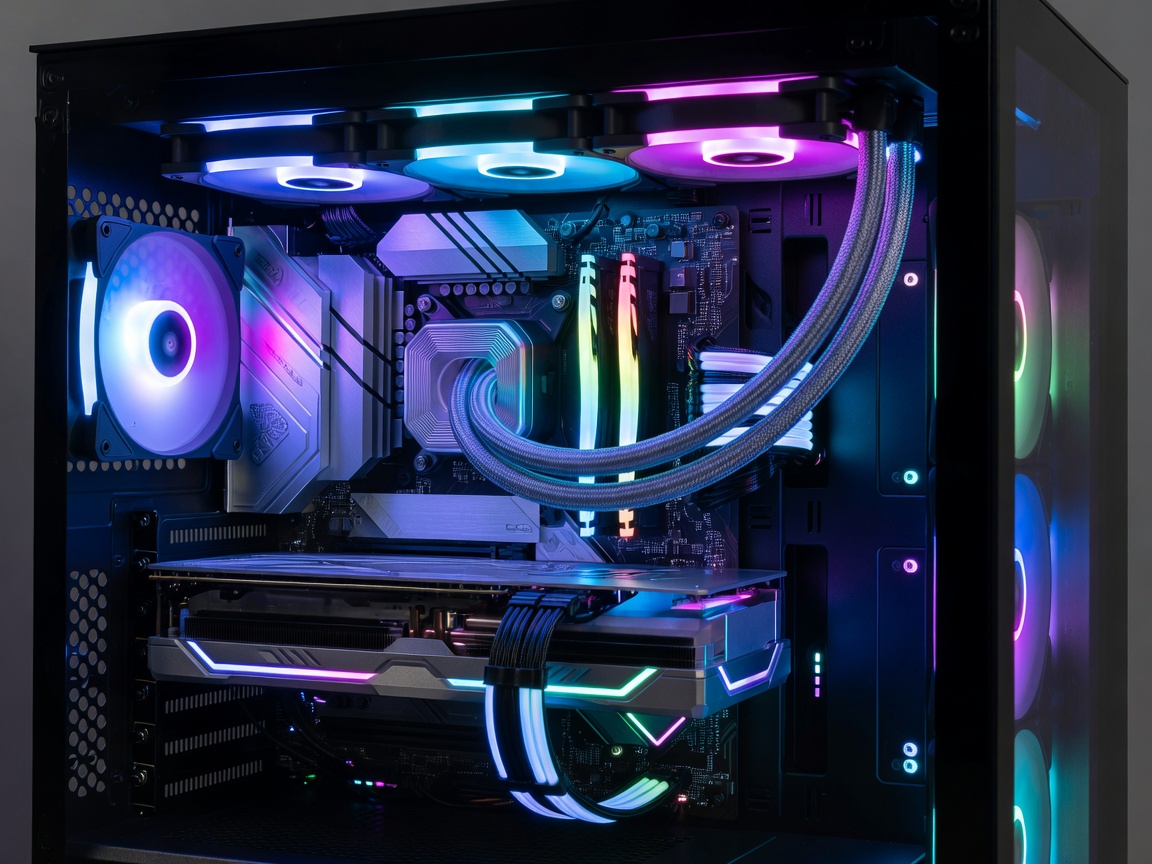
The gaming desktop represents the most dynamic segment of consumer computing. Unlike static consoles, a gaming PC is a living, modular ecosystem. It exists to push pixels as rapidly as possible, rendering expansive virtual worlds with high fidelity and fluid motion. But achieving that performance requires a careful orchestration of specialized hardware.
The Core Pillars: CPU and GPU Synergy
At the heart of any gaming machine is the relationship between the Central Processing Unit (CPU) and the Graphics Processing Unit (GPU). If one vastly outpaces the other, a bottleneck occurs, leaving expensive processing power unutilized.
Modern gaming demands heavily favor the GPU. The graphics card is responsible for translating code into the textures, lighting, and geometry you see on screen. High-tier GPUs feature dedicated memory (VRAM) and ray-tracing cores that simulate the physical behavior of light. However, the GPU cannot render frames until the CPU tells it what to draw. A capable processor with high single-core clock speeds and sufficient core counts (typically six to eight cores for gaming) is essential to feed the GPU data without stuttering.
Cooling and Airflow Management
High performance generates substantial heat. When silicon components exceed their thermal thresholds, they intentionally slow down to prevent physical damage—a process known as thermal throttling. A well-designed gaming desktop prioritizes airflow and cooling solutions to maintain peak boost clocks over long play sessions.
- Air Cooling: Utilizes large metal heatsinks and fans to pull heat away from the processor. Highly reliable and cost-effective, though massive coolers can interfere with RAM clearance.
- All-in-One (AIO) Liquid Cooling: Uses a closed loop of liquid to transfer heat from the CPU block to a radiator mounted on the case exhaust. Often provides better aesthetic integration and superior heat dissipation for high-wattage chips.
- Case Airflow: The chassis itself must support a logical airflow path—typically drawing cool air from the front and exhausting hot air out the rear and top. Cases with mesh front panels drastically outperform those with solid glass fronts in thermal testing.
Storage and Memory Architecture
The era of the mechanical hard drive in gaming is effectively over. NVMe Solid State Drives (SSDs), which plug directly into the motherboard via PCIe lanes, offer read and write speeds exponentially faster than traditional drives. This dramatically reduces load times and allows game engines to stream high-resolution assets into memory seamlessly, eliminating texture pop-in.
System memory (RAM) speeds also play a crucial role. Modern architectures benefit significantly from high-frequency RAM with tight timings, particularly when trying to achieve high frame rates (144Hz and above) in competitive e-sports titles.
Pros and Cons of the Gaming Desktop
| Advantages | Disadvantages |
|---|---|
| Unmatched Performance: Access to the highest tier of consumer computing power. | Cost: High-end GPUs alone can cost more than entire gaming consoles. |
| Modularity: Components can be swapped individually as they age. | Power Consumption: Enthusiast systems can draw 600W to 1000W under load. |
| Versatility: Doubles as a high-end workstation for video editing or rendering. | Physical Footprint: Standard ATX cases demand substantial desk or floor space. |
The Upgrade Path
One of the most compelling reasons to invest in a gaming desktop is the upgrade path. Rather than replacing the entire system when performance begins to dip, a user can simply swap in a new graphics card or add more RAM. When selecting a foundation, it is critical to choose a high-quality Power Supply Unit (PSU) with enough wattage headroom, and a motherboard with modern PCIe slots to support future generations of hardware. A well-planned desktop architecture can remain viable for a decade with only incremental updates.